Author: Admin

  • A Step-by-Step Complete Guide To Create AI Stickers On WhatsApp

    A Step-by-Step Complete Guide To Create AI Stickers On WhatsApp

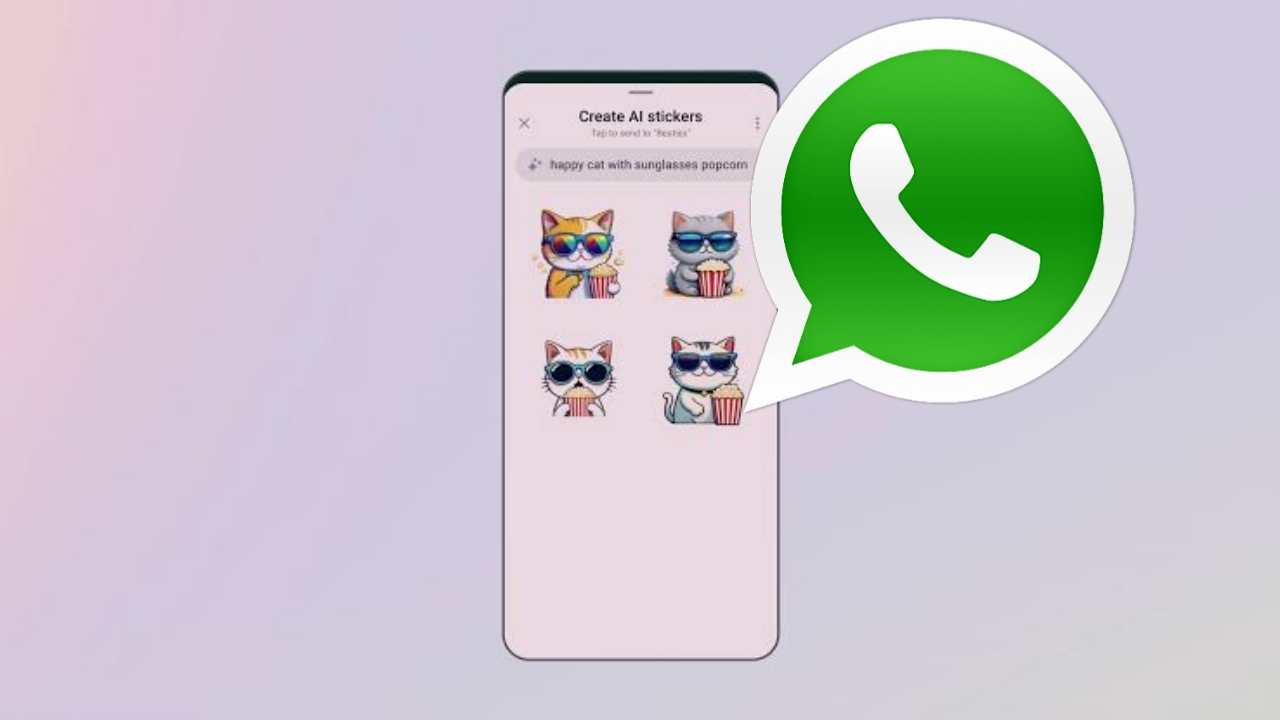
    How to Create AI Stickers on WhatsApp has released a number of new features for AI experiences for users. One of the best AI tools for increased creativity, expression, and productivity has also been made available in the meta-owned messages with the new Create AI Stickers feature.

    In this article we will tell you about How to Create AI Stickers on WhatsApp. If you want to learn more about how to make artificial intelligence stickers for WhatsApp, you must read this post all the way through.

    How to Make AI Stickers on WhatsApp

    • Launch WhatsApp on your phone. 
    • Then, tap the sticker icon in the sticker section after tapping the emoji icon in the message box. 
    • To create the AI sticker, tap the Create button. 
    • You will be prompted to enter a description when creating the sticker.
    • Write the description of the sticker you want to make. 
    • Keep in mind that up to four stickers will be produced after you enter the description. 
    • You can edit your description if any changes are required to meet your requirements. 
    • When finished, tap the sticker to send it to your chat.

    In order to use them later if necessary, you can also add your personalized AI sticker to your favorites. The AI sticker you want to favorite can be favorited by simply opening the chat that contains it. Tap the sticker in your chat after that, or press and hold it in the sticker tray. Select the Add to favourites option now.

    Read more: WhatsApp Rolling Out New In-App Support Feature for Windows Users

    Other New WhatsApp Updates

    In order to shield users from potential location tracking, Meta has also added a security improvement. In order to add another line of defence against privacy violations, this new feature concentrates on protecting the user’s IP address while on calls.

    The privacy call relay feature is currently being rolled out to a select group of beta testers, according to information from WABetaInfo, a dependable source for WhatsApp updates. The “Advanced” section, which has been incorporated into the privacy settings menu, is where users can access this new feature.

    Conclusion

    In this article we discussed about How to Create AI Stickers on WhatsApp. WhatsApp’s AI stickers are a relatively new feature, but they have already established themselves as one of the most widely used features on WhatsApp. 

    Compared to traditional emojis, AI stickers are more expressive and interesting, and they can be used to express a variety of ideas and emotions.

    Making your own AI stickers is a fantastic option if you want to give your WhatsApp conversations a more personalized feel.

  • Battery charging animation app review

    Battery charging animation app review

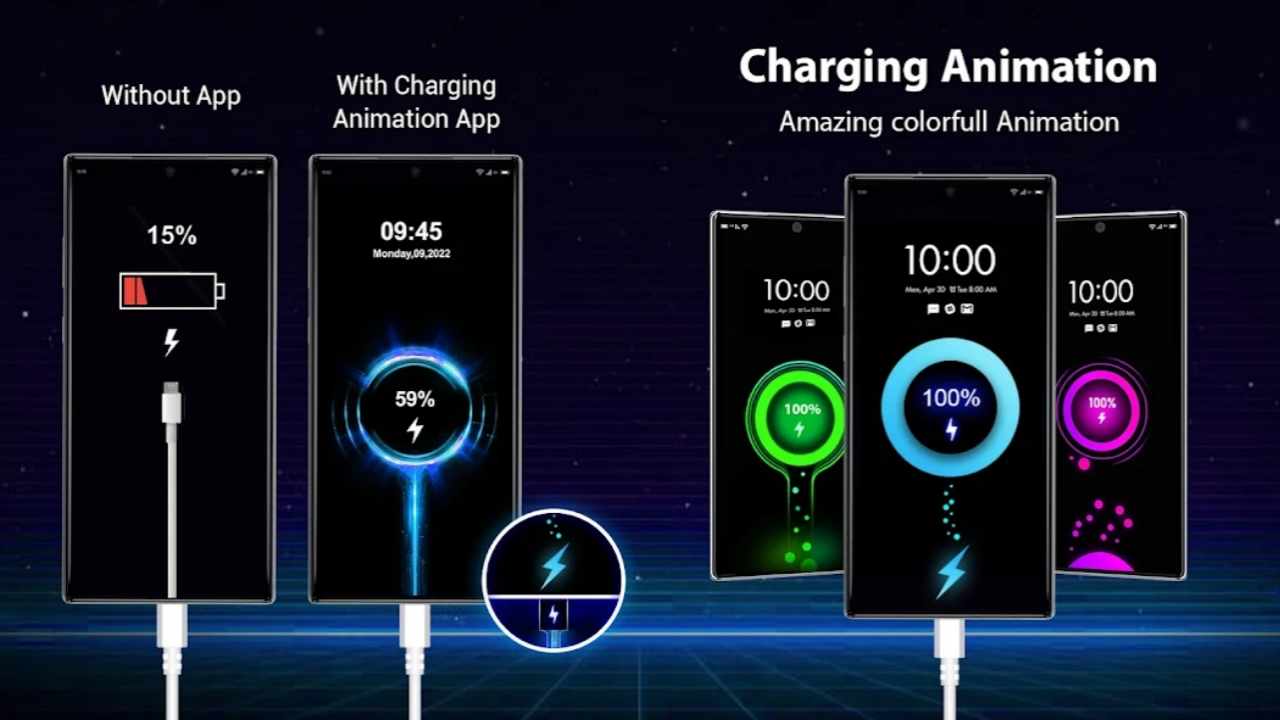
    If you are searching for a battery charging animation app, that gives a professional look to your smartphone while charging. Today we are here, the app named battery charging animation.

    I have a detailed review of this application and other similar applications and finally selected this one because of its features, themes, and the app’s user experience.

    In the article, we are going to discuss the battery charging animation application, and its features, And other important questions we are going to discuss, so keep reading till the end.

    Also read: Caller ID and number locator App Review

    What is Battery Charging Animation?

    This application provides a fantastic animation to your smartphone while charging it, there are lots of themes and custom images available on this application that you can adjust with your love. Also, there are lots of features provided by this application that we will discuss in this article.

    This application is made by the perfect scanner company, it was launched on the 21st of December 2021. Currently, it has more than 100K+ downloads on the Google Play Store and has more than 4.3 stars rating which is very awesome in this field. This is a tiny application about 7.4 MB in size, and very user-friendly as well.

    Features of Battery Charging Animation

    And there are lots of features of the battery charging animation application, but the major of its features are as follows:-

    Charging Theme:- With the help of this feature, you can easily apply attractive animation as well as music tone while charging your smartphone. This gives a fantastic look to your smartphone and increases the attraction towards it.

    Alarm:- As many of us forgot to plug off our smartphones after full charging, we missed it and it affects our battery life and performance. But, this app makes a solution for that. When your smartphone is fully charged it automatically detects it and starts an alarm that helps you to plug it off and save your battery.

    Customized Animation:- If you are bored with the same animation while charging then you can change the animations whenever you want. Also, you can customize the charging sound and can add the timer as well. if you want to close the animation you can simply double tap or single tap on it.

    It also has lots of minor features that you can easily find and use, while using this application.

    How to use the Battery Charging Animation app

    To use this application you need to follow the following steps:-

    • Firstly you need to download the latest version of the battery charging animation application. You can simply download it from the Google Play Store with the given following the link.
    • Then you need to simply give some permissions to this application.
    • That’s it your work is done now you can simply change the sound of all the animation in this application

    DOWNLOAD

    Note:- You need a minimum of Android version 7.1 to use this application. Please download with the above link to get the specific app because their are lots of feck apps available on the play store.

    Conclusion:-
    Today we conclude that, how we can animate our smartphone while charging with the help of the Battery Charging Animation app, also we have discussed lots of features of it and finally how we can download the latest version of it.

    FAQs:-

    1. What is the major feature of the battery charging animation application?

    Ans:- You can set up and use different types of animation and music while having your Smartphone and you can also set up an alarm when your smartphone is fully charged.

    2. Who is the owner of the battery charging animation application?

    Ans:- battery charging animation application is made by PerfectScanner company.

    3. Is the battery charging animation application user-friendly?

    Ans:- Yes, it is user-friendly app, and has more than 4.3 star rating on the google play store.

  • Best Screen Lock for Android Users

    Best Screen Lock for Android Users

    Oops! AppLock is a security application that helps you to lock your application that you don’t want to share with anyone. You can apply the pattern lock on any application that you want to be locked, and also some major features that differ this application from other app locking apps.

    Now in the Modern world, data stolen is one of the major problems that majority of the smartphone users face, and they are continuously searching for the AppLock that helps and Secure their data from hackers.

    But now you haven’t worry, we are here with taking an amazing app lock names Oops! AppLock, let us get a quick Review about Oops! AppLock and discuss it in brief, so keep reading till the end.

    Oops! AppLock Publisher Details

    Currently, Oops! AppLock Is running on version 3.3.0, This fantastic AppLock application is made by keybotivated. This application is just made for Android users, the minimum requirement to run this application is you need must use Android version 4.1 or greater than that.

    It is released on the 3rd of November 2014 on the play store and the last update is on the 18th of Feb 2021.

    It has more than 5000000 + downloads on the Google Play Store and has a rating of 4.0 stars, that is very hard to maintain this consistency but they doing very well. It is just 3.2 MB in size, and user-friendly as well. It is totally free of cost to use, you can simply download it from the below link:-

    Also read: Vani Meetings – Share Screen While Talking

    What is Oops! AppLock

    Oops! AppLock is a security application that helps you to lock your personal applications using pattern lock, or using the volume button. It helps those people who want to secure their personal information to stolen by hackers.

    It also helps lots of parents to keep secure the unwanted adult apps from their children. If you want to use this application you can easily download it for Free from the Google Play Store.

    Features of Oops! AppLock

    The main thing before using any app lock is the features of that, Some major features of Oops! AppLock is as follows:-

    • Oops! AppLock Is simple to use and user-friendly.
    • It helps you to lock any application that has been installed on your phone.
    • This is totally invisible application.
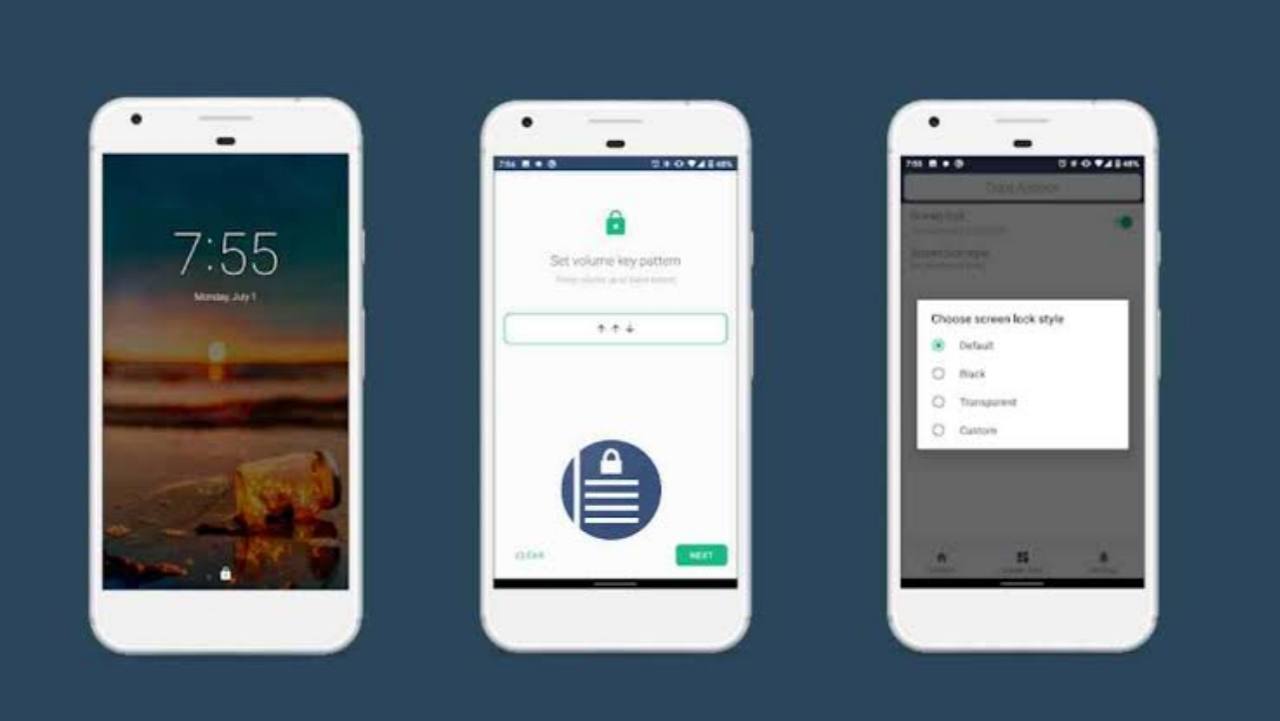
    • You can also add a pattern lock on any application and simply you can draw the pattern using the volume key as well, just you need to use the UP and Down button.
    • It is a mostly secular and safest screen lock app, that no one can access it without a password.
    • You can set up the different backgrounds for different application screen locks, that really enjoy you while working, this feature is provided by very few app locks applications, Oops! AppLock is one of them.
    • Ans also has lots of minor and major features that you can use while accessing this application.

    How to use Oops! AppLock

    If you want to use Oops! AppLock then you need to follow the below steps:-

    • Firstly you need to download and install it on your smartphone.
    • After installing you need to click on the next button and Draw a pattern using the Volume UP and Down Button.
    • Then you need to Re-enter it and then Click on Confirm Button.
    • For security you need to Select a Question and then Answer it, it helps you when you forgot your password.
    • As usual, you need to give permission for Usage access and Display over the other App.
    • Then your fake Note-making app is successfully set up, you can now add the Application that you want to lock.
    • No one has going to doubt on this app that it is an app locking application.

    DOWNLOAD

    Conclusion:- In this article, we get detailed information about Oops! AppLock, That’s how it can help you to prevent your private information, also we have discussed the Features of Oops! AppLock, and then how to use Oops! AppLock. Thanks for reading till the end.

    FAQs

    1. Is Oops! AppLock Safe?

    Ans:- Yes Oops! AppLock is fully safe and secure, also you can read its safety protocol on the google play store.

    2. What is the best feature of Oops! AppLock?

    Ans:- there are lots of features of Oops! AppLock but the major one is you can lock any application with the Volume button.

    3. Can we change the background of the app lock Oops! AppLock?

    Ans:- Yes, definitely you can change the background of a particular app by using the Oops! AppLock.

  • Complete Design of Nothing Phone(1) Has been unreviled

    Complete Design of Nothing Phone(1) Has been unreviled

    Nothing is finally going to launch its first smartphone in the market named Nothing Phone(1), we have been waiting for a long time for our first look at the phone, but now don’t need to wait anymore because Nothing is officially launching the first look banner of their phone.

    They have revealed the first look of the smartphone on the 15th of June 2022, and the probability it will be launched on the exact 12th of June at 8.30 IST it will be specially available on the Flipkart. Let us take a quick overview and performance of the Nothing Phone(1).

    Design of Nothing Phone(1)

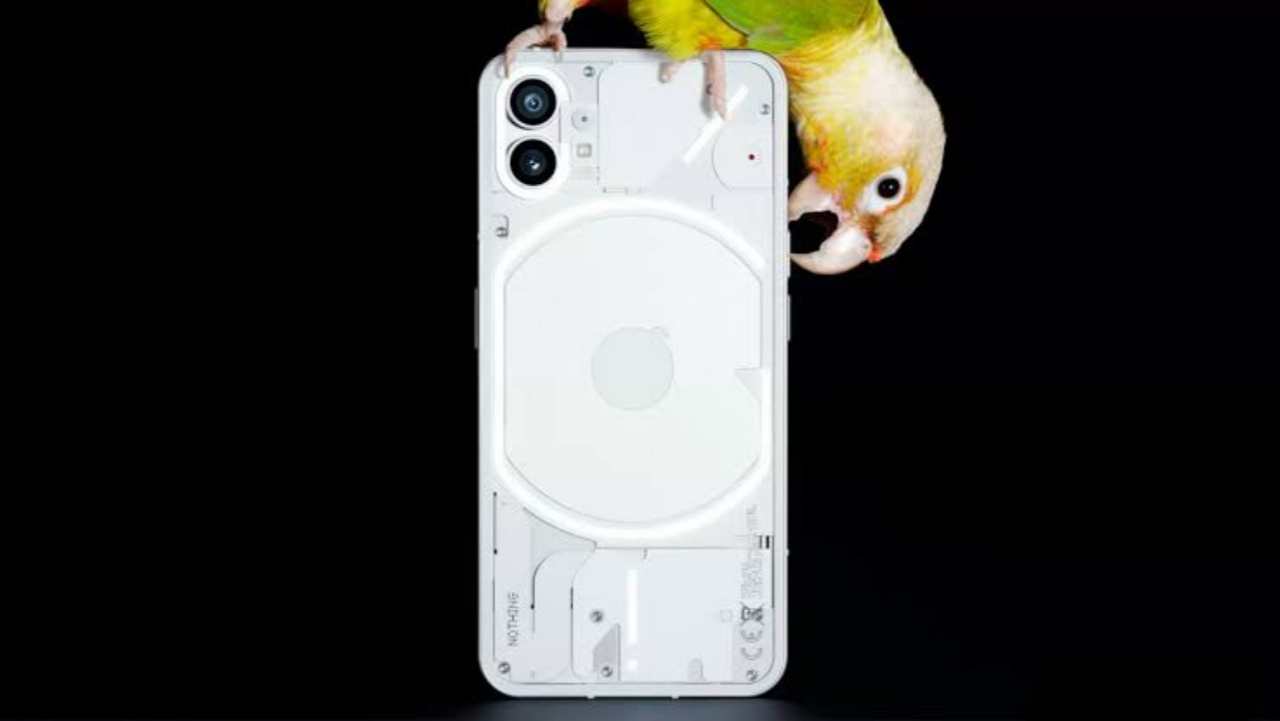
    On the 15th of June, the official company accumulates the first look at the smartphone with the help of Twitter. As per the image revealed by the officials the smartphone is with a transparent real panel.

    This phone is with a dual rear camera and obviously, the LED flash at back, This body is totally covered by a metal frame, and the nothing branding the bottom left corner of the phone. You will see the volume button on the left side and the power button on the right side respectively on the Nothing Phone(1).

    A Silver metallic frame covered the corner of the smartphone, and the interesting thing to watch out for when the phone will be launched is the ‘Nothing’ branding and the logo placement.

    Manufacturing of Nothing Phone(1)

    As we know that there is a lot of information shared by the company with the help of social media, but the major factor that comes in the Indian market is the price, Which makes a lot of difference in it. the positive thing about this Smartphone is it is totally made in India and the one manufacturing plant is in Tamil Nadu.

    The benefits of manufacturing plant in India helps them to keep the cost of the smartphone as much as possible. Currently, there is no information regarding the price of Nothing Smartphone but the company blame that they have tried to keep it as low as possible.

    Also read: Poco F4 5G with Snapdragon 870 SoC Launched in India

    Features of Nothing Phone(1)

    It is expected that these smartphones on the Android 12 version, Probability will be launched with 6.55 inches OTT display with 2400 x 1800 pixels and with a 90 Hertz fast refresh rate. This device is run on Snapdragon 7 Generation, with 8GB RAM and 256 GB Internal Storage.

    You will see dual-camera at the back and high quality 32 MP selfie camera at the front. As Nothing will provide a 4500 MAH battery that will support the fast charging support, it is not revealed how much Ampere charger it supports.

    Some of the features are not revealed by the company, but in a time they will reveal the new features and some pictures on their official social media handles. people are really showing love for this new smartphone brand “Nothing Phone(1)”, hopefully, it will be made some revolution in the Indian smartphone market.

  • How To Get Verified On Instagram A Step-By-Step Guide?

    How To Get Verified On Instagram A Step-By-Step Guide?

    The best way for brands and social media influencers to become popular on Instagram is to get verified. In addition to confirming your authenticity, getting that “blue tick” gives you more control over your online presence by making sure your profile is the only one representing your brand.

    In this article we will tell you about How To Get Verified On Instagram A Step-By-Step Guide? And how to successfully apply for an Instagram verification badge.

    What Is The Meaning of Getting Verified On Instagram?

    You must have seen some profiles of famous people like sports persons, actors, influencers and brands with blue tick on Instagram. The blue tick that you get on your profile indicates that Instagram has verified you as a famous individual and it has given you a distinct presence.

    Verified accounts are more searchable and get more security from Instagram. The blue tick helps people to make sure that the person they are following is real and not a fake or a fan account.n

    Significance Of Getting Instagram verified?

    For a lot of people getting verified on Instagram represents achievement. It gives you a feeling that you are famous, and it looks cool, and increases your influence.

    But those aren’t the only reasons why you should get verified on Instagram. Verification on Instagram offers the following advantages:

    1. Preventing fake accounts

    Getting the blue Instagram badge has many benefits, one of which is that it makes you instantly recognisable to anyone searching for you or your brand. By doing this, you’ll make sure that you don’t lose any potential fans to imitators, parodies, or fan accounts.

    2. You gain trust of people

    A verified account also shows that you are a well-known person or brand. This is because Instagram only verifies accounts that have been featured in news publications or have a large following.

    Having a verified account can help you to build trust with your followers. When people see the blue checkmark next to your name, they know that you are the real deal.

    3. It helps you in SEO

    Getting the blue tick ensures that your account will always come out on top in Instagram searches for terms related to your account name.

    How To Get Verified On Instagram A Step-By-Step Guide?

    Using the steps below, you can ask for verification if you’re sure that your Instagram account satisfies all the requirements. Just enter the necessary information by going to Settings > Account > Request Verification:

    • Name in full
    • Your username if you have a different username for your account.
    • Your “category” or account type (which includes Blogger/Influencer, Business/Brand, and more)
    • An identification proof issued by the government (this could be your passport, driver’s license, or national ID). Incorporation documents, utility bills, or tax filings are all acceptable submissions for businesses.

    By doing this, you are just submitting your account for review, so Instagram will check if you are eligible for the verification badge or not.

    You can still improve your chances if you follow the requirements for eligibility.

    How To Increase The Chances Of Getting Verified On Instagram?

    1. Updated Instagram Bio and Profile-

    Displaying a full Instagram profile with a bio and profile picture is essential to being eligible for verification. Give a clear description of your offerings and include a call to action to maximise the content of your Instagram bio.

    Put a link to your website, online store, or email signup. To further distinguish your profile, you can add unique fonts, symbols, categories, and personalised hashtags in your bio.

    2. Make unique and quality content-

    You need to work on increasing your presence on the social platform(s) where you want to be found. A great way to build the reputation of your brand on social media is to customize your content.

    Users will be able to recognise your brand more easily if you use custom or brand hashtags, include your brand logo in your posts, and keep your aesthetic consistent.

    You should aim to create content that connects with your audience. Make the most of Instagram Insights, the platform’s analytical tool, to ascertain the preferred types of content for your audience.

    3. Stand out-

    The blue Instagram badge cannot simply be obtained by requesting it. You must appear frequently in news sources, be highly sought-after, and be well-known to the general public. Being mentioned in sponsored or promotional content is not considered.

    4. One request per account for verification-

    Instagram states that your account needs to be “the unique presence of the person or business it represents.” Basically, neither you nor your brand are allowed to have more than one verified account.

    How To Subscribe Meta Verified Blue Ticks On Instagram?

    Mark Zuckerberg stated that Meta Verified wants to increase the security and authenticity of its services. When you sign up for Meta Verified, you will receive a verified badge and Meta will defend your account against attempts at impersonation.

    Meta asserts that paying the monthly fees of USD $11.99 on the web or USD $14.99 on the app will improve your visibility and broaden your reach. More people will see your content in their feeds, search results, and comments.

    To subscribe to Meta Verified, users must first join the waitlist and meet certain requirements. They must have prior Facebook or Instagram experience, be 18 years of age or older, and present a government-issued ID with their name and photo that exactly match those on their Facebook or Instagram accounts.

    Conclusion

    In this article we discussed How To Get Verified On Instagram A Step-By-Step Guide? There are many advantages of getting verified by Instagram. You can increase your chances of getting verified using the information given in this article, and then you can start taking advantage of all the benefits that come with having the blue ticks next to your name on Instagram.

    But the most important thing is making engaging posts, timing their publication based on analytics, and building a community centered around your brand.

    You should engage with your followers by responding to comments, making an Instagram Stories poll, or holding contests, this helps you in getting more influence.

    FAQs

    Q. Is there a trick to getting verified on Instagram?

    Answer. Display your recognition on Instagram as a searched person. Instagram states that they look for accounts that have been mentioned in numerous news sources when looking at verification.

    Q. Can we buy blue tick on Instagram?

    Answer. Users can now purchase Meta Verified, which will grant them a blue tick with some additional features. Users can pay USD $14.99 per month to purchase verification badges from Meta Verified, a subscription-based service, on the iOS and Android apps for Facebook and Instagram.

    Q. How much is a blue tick on Instagram in India?

    Answer. In India iOS and Android users can get the Meta verified services for Rs 699, by authenticating their accounts using a government ID proof. After successful verification, users’ profiles will display a blue tick.

    Q. Who is eligible for Meta verified?

    Answer. The eligibility criteria for Meta Verified services are:

    • User should be at least 18 years old is a requirement for eligibility in Meta Verified.
    • Have a public or private profile linked to your full name, and with a profile photo that shows your face.
    • Have two-factor authentication set up, which can be done after payment
  • Indian Post Office Recruitment 2023-24: Apply for Gramin Dak Sevak and Assistant Branch Postmaster Positions

    Indian Post Office Recruitment 2023-24: Apply for Gramin Dak Sevak and Assistant Branch Postmaster Positions

    Gramin Dak Sevaks (GDS), Branch Postmasters, and Assistant Branch Postmasters are among the positions for which the Indian Post Office has announced a recruitment drive. There are a total of 12,828 positions open for interested and qualified applicants.

    This article will provide detailed information about Indian Post Office Recruitment 2023-24 including recruitment process, job locations, salary details, application fee, age criteria, educational qualification, selection process, and application procedure.

    Job Location for Indian Post Office Recruitment 2023-24

    Candidates can choose their preferred job location as per their preference.

    Indian Post Office Recruitment 2023-24 Number of Vacancies

    A total of 12,828 vacancies are available for the following positions:

    • Gramin Dak Sevak (GDS)
    • Assistant Branch Postmaster

    Salary Details for Indian Post Office Recruitment 2023-24

    The salary for the Assistant Branch Postmaster position will range from Rs. 12,000 to Rs. 29,380 per month.

    The minimum Time-Related Continuity Allowance (TRCA) for 4 hours of work will be Rs. 10,000 to Rs. 12,000, while the maximum TRCA will be Rs. 24,470 to Rs. 29,380. For more information on salary details, refer to the official website.

    Indian Post Office Recruitment Age Limit

    Candidates applying for the Indian Post Office Recruitment must be between 18 to 40 years of age. To know more about age criteria, please refer to the detailed advertisement.

    Indian Post Office Recruitment 2023-24 Educational Qualification:

    Candidates should have completed 10th grade (Matriculation) or an equivalent qualification from a recognized Board or University.

    For more details, check the official website. If you have not completed graduation, there are also job opportunities available for 10th and 12th-grade candidates.

    Indian Post Office Recruitment Selection Process

    The selection of candidates for the Indian Post Office Recruitment will be based on the merit list of 10th/Matriculation marks and document verification. There will be no written exam or interview for this recruitment.

    Indian Post Office Recruitment Work Experience

    These positions do not require any prior work history. Fresh candidates and those without experience can also apply.

    How to Apply for Indian Post Office Recruitment

    By using the provided link or the official website, all qualified and interested candidates must submit an online application.

    During the interview process, candidates must register online, upload copies of their diplomas, and provide their contact information (including a mobile number, permanent address, PIN number, and personal, valid email address). Late applications will not be accepted.

    Apply Indian Post Office Job

    Last Date for Application Submission of Indian Post Office Recruitment

    The last date for submitting the application form for Gramin Dak Sevak and Assistant Branch Postmaster Positions is 11-06-2023.

    Indian Post Office Recruitment Application Fee

    Indian Post Office Recruitment application fee is Rs. 100 for General/OBC/EWS category candidates, while SC/ST/PWD category and women candidates are exempted from paying the fee.

    Regular employees of the Indian Post Office applying for a higher post are required to pay the application fee. The fee can be paid online through Credit Card, Debit Card, UPI, or Net Banking.

    Refer to the detailed advertisement for more information on the application fee.

    Important Notice:

    In any case, applications received after the deadline won’t be taken into consideration. Applications submitted late or without enclosures will be simply rejected without further communication. For this reason, be sure to submit your application before the deadline.

    Disclaimer

    We suggest that you are not only on our article but also visit its official website to get information related to Indian Post Office Recruitment Job. If you find any error in our article, then you can also suggest us so that we can correct that error and provide correct information to you.

    We do not charge any kind of registration fee or blog reading fee through our website. The only purpose of making a post in this website is to provide you correct information

  • With the help of this Fingerprint Live Animation app, you can set a unique fingerprint on your phone

    With the help of this Fingerprint Live Animation app, you can set a unique fingerprint on your phone

    Today I am going to tell you about the most unique app. There will be many fingerprint animations on your phone. But today I am going to tell you about the most unique fingerprint animation app. Inside this app, you will find lots of fingerprint live animations.

    You can set Live Animation of your favourite on your phone. Inside this app, you will find many live fingerprint animations and you will find many more themes inside this app. You can set your favourite Wallpapers, Live Themes on your phone. So you want to download this app.

    If you want to apply unique fingerprint animation by changing your old fingerprint animation, then you can apply it very easily. So for this, you have to read this app carefully. You have to read till the end only then you will be able to understand. Because today I will tell you to step by step about this app in full detail, so let’s know about this app in detail.

    Features

    • Themes
    • Animation
    • Wallpaper

    How to use the Fingerprint Live Animation app

    If you want to use this app then you can do it very easily. First of all, you have to download this app by going to the play store. Or you can download this app by clicking on the download button given below. After that, you have to click on Get Started. Then you have to click on the Next button.

    DOWNLOAD

    After that you will get lots of fingerprint wallpapers. Then you have to click on Wallpaper. Then you have to click on Save & Continue. Now you have to click on the option with set animation. After that, you have to click on the option ok. Then you have to give some permissions. After that, you have to click on the apply option.

    Also, Read Make your smartphone unique with Wave Live Wallpapers Maker 3D app

  • Make your smartphone unique with Wave Live Wallpapers Maker 3D app

    Make your smartphone unique with Wave Live Wallpapers Maker 3D app

    There will be many wallpapers inside your phone, but today I am going to tell you about the most unique wallpaper which looks very beautiful. If there is no live wallpaper inside your phone, then this app will help you a lot. Because inside this app you will get lots of live wallpapers.

    If you have the same old keyboard on your phone and want to make your keyboard new then with the help of this app you can make your keyboard new. Because inside this app you will get a lot of keywords. 3D live wallpapers will also be available. You can select your favourite wallpaper and set it on your screen to make your phone unique.

    So if you want to download this app and want to use this app then you can do it very easily. Because today I will tell you to step by step about this app in full detail so that you can also understand and share it with your friends.

    How to download the Wave Live Wallpapers Maker 3D app

    If you want to download this app then you can do it very easily. First of all, you have to go to the Play Store. If you write the name of this app, you will get this app or you can download this app by clicking on the download button given below directly.

    DOWNLOAD

    How to use the Wave Live Wallpapers Maker 3D app

    • If you want to use this app then follow the steps given below.
    • First of all, install and open this app.
    • After that click on Accept and Continue.
    • After that, you will get the option of apply keyboard, apply wallpaper and call screen. Select your favourite option.
    • Then you will get lots of wallpapers in front of you. Select your favourite wallpaper. Now you have to click on the apply option. After that, you have to give some permissions. Now you can use this wallpaper very easily.

    Also, Read Make your phone cool with the help of this Pika Charging show app

  • Make your phone cool with the help of this Pika Charging show app

    Make your phone cool with the help of this Pika Charging show app

    Today I am going to tell you about an app about which you might have heard for the first time. There are many people whose phone does not have charging animation and whenever you put your phone in charge it will be the same old wallpaper. But today I am going to tell you about one such app.

    With the help of this app, you can change the style of your charging which will look very beautiful. Inside this app, you will find lots of charging animation. You can use your favourite charging animation which will look very beautiful. Many more features are given inside this app like live wallpaper will be found. Lots of wallpapers are available to you inside this app.

    If you want to use this app and want to make your phone beautiful. So read this article carefully and read till the end. Because today I will tell you to step by step about this app in full detail so that you can also understand and share it with your friends.

    How to use the Pika Charging show app

    If you want to use this app then you have to go to the play store. If you write the name of this app, you will get it or you can download it directly by clicking on the download button given below. After downloading you have to click on Agree.

    DOWNLOAD

    After that, you will see the option of charging animation. Click on that. After that, you will get a lot of charging animation. Click on the wallpaper of your choice. After clicking, you have to click on the tick option. After that, you have to click on the set now option.

    Now you have to go to Settings and give some permissions. After that, you have to click on set now again. Now the wallpaper will be set in your charging. Your phone will look beautiful whenever you put your phone in charge.

    Also, Read Change your wallpaper to use waterfall wallpaper with the help of this Amazing Water Live Wallpaper app

  • Change your wallpaper to use waterfall wallpaper with the help of this Amazing Water Live Wallpaper app

    Change your wallpaper to use waterfall wallpaper with the help of this Amazing Water Live Wallpaper app

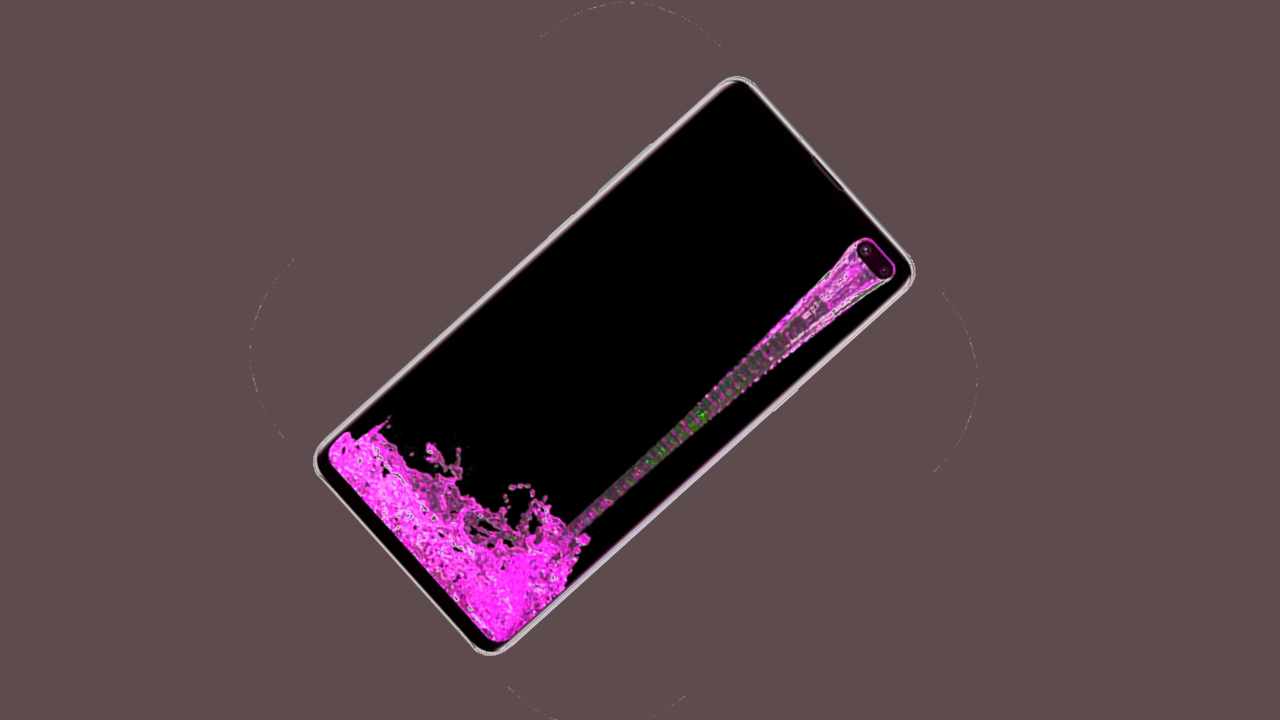
    There will be many wallpapers inside your phone, but today I am going to tell you about the most amazing wallpaper app. If you use this wallpaper on your phone, then the look of your phone will change and it will look very beautiful. Waterfall is Live Wallpaper if you use this wallpaper then your home screen will look like a waterfall which will look very beautiful.

    And many more wallpapers will be found inside this app. You can use your favourite wallpaper and change the look of your phone. Like inside this app you will also get Rain Wallpaper. You will find different types of wallpapers.

    So if you want to download this app and want to use this app then you can do it very easily. Because today I will tell you to step by step about this app in full detail so that you can also understand and share it with your friends.

    Features

    • Water wallpaper
    • Live Wallpaper
    • iPhone wallpaper

    How to use the Amazing Water Live Wallpaper app

    If you want to use the app, first you have to go to the Play Store. If you write the name of this app, you will get this app or you can download it directly by clicking on the download button given below. After downloading, install and open it. After that, you have to click on the popular option.

    DOWNLOAD

    Then you have to click on the wallpaper with the waterfall. Now you have to click on the apply option. After that, you have to give some permissions. Then you have to click on the apply option. Then you will get two options Home Screen or Lock Screen Select where you want to set this wallpaper.

    Also, Read Unlock your phone in new style with the help of this Touch Lockscreen photopassword app

  • Unlock your phone in new style with the help of this Touch Lockscreen photopassword app

    Unlock your phone in new style with the help of this Touch Lockscreen photopassword app

    Today I am going to tell you about the most unique lock screen. There will be a lockscreen inside your phone, but today I am going to tell you about the lock screen. It is the most unique which will look very beautiful. There will be password lock screen inside your phone.

    There will be pattern lock screen, but today I am going to tell you about the touch lock screen which will keep your phone doubly secure. This is the most unique lock screen app. If you want to use this app and want to install touch screen lock in your phone, then you can install it very easily.

    Because today I will tell you step by step about this app in full detail. So that you also get to know about this app and you too can use this app very easily.

    How to use the Touch Lockscreen photopassword app

    If you want to download this app and want to use this app then you can do it very easily. First of all you have to go to the Play Store. This Touch Lock Screen app must download or direct you can download by clicking on below download button. After install and open it.

    DOWNLOAD

    After that you have to slide and you have to click on the go option. Then you have to give some permissions. After that you have to click on Always. Now you have to give some permissions. After that click on the option at the top. Then wherever you want to set your touch lock, you will touch there.

    After that you have to click on OK. Then you will touch at the same place where you touched. After that this lock will be set in your lockscreen. Now if you want to unlock your phone. So where you touched, you will have to touch again. After that your phone will be unlocked.

    Also, Read Use this Ringtones for Android app and set iPhone ringtone in your Android phone

  • Use this Ringtones for Android app and set iPhone ringtone in your Android phone

    Use this Ringtones for Android app and set iPhone ringtone in your Android phone

    Today I am going to tell you about one such app. You might have heard about the app for the first time. There are many people who use Android phones. If you want to convert your Android phone to iPhone, then you can easily convert your Android phone to iPhone.

    Because today I am going to tell you about ringtone for android app. With the help of this app, you can set iPhone ringtone in your Android phone. Inside this app you will find a lot of ringtones. You can make your Android phone as iPhone by setting your favorite ringtone in your Android phone.

    So if you want to download and use this app, then you can do it very easily. Because we will tell you step by step about this app in full detail. So that you also understand and you can use this app very easily and convert your Android phone to iPhone.

    Also, Read Add theme to your navbar with Navigation Bar for Android app

    Features

    • Set iPhone Ringtone
    • Set Notification Sound
    • Use the Contact Ringtone
    • Set as Alarm
    • Download Ringtone

    How to use the Ringtones for Android app

    If you want to use this app, first you have to go to Play Store. After that this app has to be downloaded or you can download it directly by clicking on the download button given below. After downloading, install and open it.

    DOWNLOAD

    After that you have to click on the ringtone option. Then you have to click on set as ringtone. After that you have to click on OK. Then you have to give some permission. After that this ringtone will be set in your Android phone.

    Also, Read Make your phone screen look more attractive with EDGE Lighting – Borderlight app

  • What is ChatGPT and how does ChatGPT work?

    What is ChatGPT and how does ChatGPT work?

    You’ve surely noticed that during the past several weeks, ChatGPT, a brand-new technology, has been referenced everywhere. While some people have experimented with it, others are completely unaware of what it is. You will learn all there is to know about ChatGPT in this article.

    What is ChatGPT

    OpenAI introduced ChatGPT, an AI-based chatbot system, in November 2022. Whisper, an automatic speech recognition system, and DALLE•2, an AI image and art creator, were both developed by OpenAI.

    The company’s GPT-3 technology is used by ChatGPT. Generative Pre-trained Transformer 3 is an autoregressive language model that makes text that resembles human speech using deep learning. It is one of the most well-liked language processing AI models at the moment.

    The GPT-3 training model employs a “generative pre-training” training methodology, which refers to training that enables token prediction. In order for this to occur, the model needs an initial prompt text, and it will use that prompt to continue producing text.

    To accomplish conversational discourse, the model is improve using Reinforcement Learning with Human Feedback (RLHF). For the model to produce responses that sounded human-like, it was trained using a range of data that were written by individuals.

    It fosters a conversation with a chatbot that feels organic and human.

    What Can ChatGPT Do?

    Since GPT-3 has 175 billion parameters, it can be challenging to summarise all of its capabilities. Because it is a model that only considers language, it has a comprehensive knowledge of both the written and spoken word.

    These are a few uses for ChatGPT:

    • writing concise writings like limericks and poems
    • writing long pieces of information, like research papers.
    • explaining concepts in simple terms or with thorough expertise
    • generating ideas and themes
    • One form of personalized communication is email responses.
    • An entertaining and natural-sounding virtual assistant voice
    • shortening lengthy content for readers
    • language interpreting
    • marketing materials

    If you’ve ever written a blog post, essay, or dissertation, you are aware of the time and effort required to create something good. The strength of ChatGPT is in its capacity to produce well-written content quickly and to take complex subjects and make them simple.

    How Does ChatGPT Function?

    OpenAI employed Reinforcement Learning via Human Feedback, as was previously indicated (RLHF). They began by employing supervised fine-tuning to train an initial model. The human AI trainers took on the roles of both the user and the AI assistant and provided dialogue to help develop organic and interesting responses.

    With reinforcement learning, the machine learning model is assisted in improving by a reward signal or mechanism. OpenAI gathered comparison information, consisting of at least two ranked model replies. In exchanges between AI trainers and the chatbot, OpenAI randomly selected a model-written message, sampled a number of potential responses, and asked the trainers to rate the message’s quality. This made it possible for them to apply these reward models and optimize them using proximal policy.

    Disadvantages of ChatGPT

    Even though the GPT-3 software is remarkable, there are several flaws in it. Some of these anomalies can be brought to light by using the ChatGPT tool.

    Unfortunately, the software’s knowledge is restricted to events that occurred before 2021, making it impossible for it to respond to questions concerning more current events with accuracy.

    This includes being ignorant about the developments that have taken place since 2021 in the global leadership scene. The following are some more drawbacks of ChatGPT:

    • In terms of recent global events, ChatGPT is incredibly ignorant.
    • It may understand your question incorrectly and produce inaccurate information.
    • If you include too many items or narrow your initial prompt, ChatGPT may find it overwhelming.

    Conclusion

    In this article we discussed What Is ChatGPT? In its ascent to popularity, OpenAI has received funding from a number of well-known individuals, including LinkedIn co-founder Reid Hoffman, Elon Musk, and Peter Thiel. The ChatGPT will, however, be used for actual practical applications for the first time by one of OpenAI’s major investors.

    Microsoft made a massive $1 billion investment in OpenAI and is currently working to incorporate ChatGPT into its Bing search engine. Microsoft has battled to compete with Google as a search engine for years, looking for any feature that would set it apart.

    FAQs

    Are the responses from ChatGPT consistently correct?

    No. In reality, the website is infamous for fabricating a lot of data, and its responses are frequently incorrect. If you plan to utilize ChatGPT as a source for an essay or article, you should make sure the information is accurate.

    Existing Issues With ChatGPT?

    Even while ChatGPT has users buzzing, there are still worries about how the platform—and others of its kind—will affect traditional businesses as well as educational establishments like colleges and high schools.

    Existing ChatGPT issues?

    Even while ChatGPT is generating a lot of excitement among users, there are still concerns about how it and similar platforms may impact both conventional businesses and educational institutions like colleges and high schools.

    Also, Read Make your phone screen look more attractive with EDGE Lighting – Borderlight app

  • Make your phone screen look more attractive with EDGE Lighting – Borderlight app

    Make your phone screen look more attractive with EDGE Lighting – Borderlight app

    Today I am going to tell you about the amazing app. There will be many apps in your phone, but today I will tell you about the most unique app. With the help of this app, you can make your Android phone very beautiful. This is a borderlight app, you can apply light on the border of your android phone, which will turn out to be quite unique in appearance. You will get many colors in this. You can customize the color of your favorite on your screen.

    You will find many more images. You can also set the background image on your screen. You can also decorate the border of your phone. You will find all kinds of designs. If you want to download this app and want to make your phone beautiful. So read this article carefully and read till the end. Because today I will tell you step by step about this app in full detail so that you can understand and you can also share it with your friends.

    Features
    • Enable Wallpaper
    • Border & Notch Settings
    • Animation Speed
    • Border size on lockscreen
    • Border type
    • Set background image
    • Choose color

    How to use the EDGE Lighting – Borderlight app

    If you want to use this app then first you have to download this app then you have to go to play store. If you write the name of this app, you will get it or you can download it by clicking on the download button given below. After that install and open it. Now you have to click on enable wallpaper.

    DOWNLOAD

    After that click on apply. After that if you want to select the color then choose color has to be selected. After that you will get many colors. If you want to set wallpaper in background. Then you will get the option of set background. You can also set the background by clicking on it.

    Also, Read Use this Eyecon Caller ID Number Finder app and get details of unknown number.

  • Add theme to your navbar with Navigation Bar for Android app

    Add theme to your navbar with Navigation Bar for Android app

    Today I am going to tell you about such an app, about which you must have heard for the first time. There are many people who get many wallpapers, many themes inside their mobile. But today I am going to tell you about the most different themes. This is a navigation bar app, with the help of this app, you can apply themes inside your navbar, which will look very beautiful. You will get many features inside this app.

    You will find every color inside this app and many more themes will be found. You can use any of your favorite themes inside your nav bar. So if you want to use this app and want to make your Android phone beautiful then with the help of this app you can make it beautiful very easily.

    So download this app today and use different themes inside your nav bar. So if you want to download and use this app then you can do it very easily. Because today I will tell you about this app in full detail so that you can also understand and you can also share it with your friends.

    How to download the Navigation Bar for Android app

    If you want to use this app, first you have to go to Play Store. If you want to download this app directly, then download it by clicking on the download button given below. After downloading you have to click on Agree. After that you have to click on the option of go to setting. Now you have to give some permissions.

    DOWNLOAD

    After that you have to click on the navigation bar icon. Now you have to give some permissions and you have to click on the option with open display. After that you have to allow by going to the setting. Now you have to click on the Always option as you would click on the Always option.

    This navigation bar will be set in your nav bar. If you want to set it according to your own, then click on the setting and from there you can set height, move up/down. You can also change the background color and there are many other features that you can use.

    Also, Read Make your phone screen look more attractive with EDGE Lighting – Borderlight app

  • How To Create And Send WhatsApp Avatar On Android And iOS In 2023

    How To Create And Send WhatsApp Avatar On Android And iOS In 2023

    Have you ever wanted to make your chats on WhatsApp more entertaining with personalized avatars? Well, now you can with the messaging app’s latest feature. Similar to Apple’s Memoji and Snapchat’s Bitmoji, WhatsApp Avatars allow you to create a digital animated version of yourself by customizing features such as your haircut, clothing, facial expressions, and accessories. So let’s learn How To Create And Send WhatsApp Avatar On Android And iOS In 2023.

    What are these WhatsApp avatars?

    In the same way that Apple’s Memoji and Snapchat Bitmoji are digital animated representations of you, WhatsApp Avatars are the same thing. You have the ability to design an avatar that most closely resembles you, thanks to the messaging behemoth.

    You may customize your avatar by adding different elements like your haircut, clothing, facial expressions, accessories, and much more. Furthermore, according to a blog post by WhatsApp, the company will soon introduce additional design enhancements, such as lighting, shading, different hair textures, and more.

    How To Create WhatsApp Avatar On Android And iOS In 2023

    1. Go to “Settings” in the bottom navigation bar on WhatsApp and click on “Avatar” next to your name.

    2. Choose “Create your Avatar” and a website with information on WhatsApp Avatars will appear. Select “Get Started” to begin the creation process.

    3. Pick the skin tone that matches yours and tap “Next.”

    4. You will then have numerous options for customizing your avatar, including clothing, body type, eye shape, color, makeup, and more. You can also modify the shape, marks, and lines of your face, as well as your mouth, lips, nose, earrings, and facial hair.

    5. Choose the options that best fit your personality and tap the mirror icon on the right side of your avatar to view yourself.

    6. Once you have finished modifying your WhatsApp Avatar, tap “Next” to return to the Avatar area in the app.

    How To Send WhatsApp Avatar On Android And iOS In 2023

    1. On your iPhone, open a WhatsApp chat and tap the “sticker” button in the text box. On Android, tap the emoji icon in the text field.

    2. You will see an icon for WhatsApp Avatars beneath the GIF and sticker options. Select this icon.

    3. You can then choose from various emotions represented by the WhatsApp Avatar stickers, such as love, sadness, anger, and more. Select the appropriate sticker and send it. WhatsApp generates over 36 stickers based on your avatar.

    4. Alternatively, you can go to “Settings” then “Avatars” and select “Browse Stickers” to choose a specific sticker to send. Use the “Forward” icon in the top right corner to send the avatar sticker to the desired chat.

    Conclusion

    In this article we discussed How To Create And Send WhatsApp Avatar On Android And iOS In 2023. It will be easy and quick to create and send a WhatsApp avatar on Android and iOS smartphones. You may quickly build a unique avatar that symbolizes you and share it with your loved ones on WhatsApp by only a few touches on your device’s screen.

  • Use this video ringtone for the incoming call app and set the video ringtone

    Use this video ringtone for the incoming call app and set the video ringtone

    There will be many ringtones in your phone, but today I am going to tell you about the most unique ringtone. This is a video ringtone. You can set this ringtone on your phone which will look very beautiful. Inside it, you will find a lot of ringtones. You can set your favourite video ringtone as your incoming call. Many people want to set ringtones on their phones. If you also want to set a video ringtone.

    Also, Read You want to sharpen photo clarity and restore old photos using the Luminate: Al Photo Enhancer app

    This app will be very good for you, with the help of which you can set a video ringtone in your incoming call. So if you also want to use this app and want to set a video ringtone in your incoming call. So read this article carefully because today I will tell you to step by step about this app in full detail so that you can also understand and you can use this app very easily.

    How to use the video ringtone for the incoming call app

    If you want to use this app then first you have to go to the play store. If you write the name of this app, you will get it or you can directly download it by clicking on the link given below. After downloading, this app has to be installed and opened. After downloading, this app has to be installed and opened.

    After that you will get many options then you have to click on set. After that, you have to give some permissions. Then you can easily set your favourite video ringtone as your incoming call.

    DOWNLOAD

    Also, Read WhatsApp New Features 2022: WhatsApp is working on double verification code Feature

  • Happy New Year 2023: Send the happy new year stickers to wish your beloved on WhatsApp

    Happy New Year 2023: Send the happy new year stickers to wish your beloved on WhatsApp

    Happy New Year is just a few hours away. Many people celebrate Happy New Year with their friends. If you also want to start Happy New Year with your friends and wish them all the best so you can give it very easily because today I am going to tell you about such an app. Inside this app you will find lots of Happy New Year 2023 stickers. you can select the sticker you like and wish Happy New Year to your friend.

    Lots of people have downloaded this app. You also download this app and through this app, you can send Happy New Year Wishes stickers to anyone. You will find all kinds of favourite stickers inside this app. If you want to download this app and send a Happy New Year stickers to someone, then you can send it very easily. Because today I will tell you about this app in full detail so that you can use this app very easily and send Happy New Year stickers to anyone.

    How to Download the Happy New Year 2023 Sticker

    If you want to download Happy New Year Sticker then you can do it very easily. You can download this app by going to Play Store. Or you can download it very easily by clicking on the download button given below.

    DOWNLOAD

    How to use this app

    • If you want to use this app then first download and install this app.
    • After that, you have to give some permissions.
    • After that, you have to click on the sticker with the festival.
    • Now you will find Happy New Year stickers at the bottom. Next to that, you have to click on the (+) icon.
    • Click on yes add pack. After this, you have to click on the add option. Now you have to open WhatsApp. After open WhatsApp, you have to click on the emoji icon.
    • After this, you have to click on the sticker option below. Now you will get lots of Happy New Year stickers.
  • See your home and your other places in 3D using this Google Earth app

    See your home and your other places in 3D using this Google Earth app

    Today I am going to tell you about an amazing app. If you want to see your house or any of your other places in 3D, then with the help of this app you can very easily see your house or any of your if places in 3D. You want to see any place in 3D. So with the help of this app, you can easily see any place in 3D. Many features are given inside this 3D Google Earth app.

    If you want to download this 3D Google Earth app and want to see any place in 3D then read this article carefully. Because today I will tell you about this app in full detail so that you also understand and you can use this app very easily.

    Google Earth app

    This is a great app that lets you view your home in 3D. And you can see the street of your house and any place in 3D. You can also see your home from a 360-degree perspective.

    Features

    • You can see your home or any place in 2D and 3D.
    • See the latitude and longitude lines
    • See places, roads, landmarks, water etc

    How to use the Google Earth app

    If you want to use this app, then first you have to download this app by going to the play store. Or download it by clicking on the download button given below. After that install and open it. After that, you have to open the app and type the search icon at the top to search for a home or other location.

    DOWNLOAD

    Type in the name of the place you want to view and search. See whatever you want and your location on the screen To see your home and location in 3D mode, you have to type in the 3D option.

    Also, Read WhatsApp New Features 2022: WhatsApp is working on double verification code Feature

  • You want to sharpen photo clarity and restore old photos using the Luminate: Al Photo Enhancer app

    You want to sharpen photo clarity and restore old photos using the Luminate: Al Photo Enhancer app

    There will be many old photos on your phone. If you want to convert your old photo to a new photo. So today I am going to tell you about such an app. With the help of this app, you can easily make your old photos new with clarity. Many people have many photos on their mobile and if you are not able to edit that photos. So with the help of this app, you can edit your photo and make it very beautiful.

    You can blur your photo. You can use filters and many more features will be found inside this app, using which you can make your photo beautiful. If you want to use this app and want to make your photo beautiful then you can easily download this app and with the help of this app, you can edit your photo. So let us tell you about this app in full detail so that you can use this app very easily and edit any of your photos and make them beautiful.

    Also, Read With the help of this Battery Sound Alert app, the phone will alert when it is fully charged

    How to use the Luminate: Al Photo Enhancer app

    If you want to use this app, then first you have to download this app by going to the play store or download this app by clicking on the download button given below. After that install and open it. After that click on the start option. Then you have to click on the next button. Then have to click on Next. After that, you will see the option of cut above, click on it. Now you have to give some permission. After that, some permission has to be given. After that click on got it. Then you can edit very easily by selecting the photo you want to edit from your gallery.

    DOWNLOAD