Category: WhatsApp feature

  • WhatsApp is Bringing New Status Notification Feature Soon!

    WhatsApp is Bringing New Status Notification Feature Soon!

    WhatsApp is constantly trying to provide a better chatting experience to its users by bringing new features. Now, WhatsApp is bringing new status notification feature soon to inform users about new status updates of their contacts. It is expected that this feature will be included in some upcoming update.

    Let’s know about this new WhatsApp feature in detail.

    WhatsApp is bringing new status notification feature soon?

    At the moment, it is not completely clear how this new notification feature will work. Soon you may get notifications letting you know that one of your contacts has posted a status, but you haven’t seen it yet!

    However, this information is not confirmed yet. This information has been received from a reliable website named WA Beta Info, but WhatsApp itself has not yet announced this feature.

    Therefore, it is important to be a little cautious when listening to this information.

    How will WhatsApp notification feature work?

    WhatsApp is currently beta testing this feature and it has not yet been made clear under what circumstances this notification will come.

    According to reports, WhatsApp is testing a feature to inform users about unseen status updates of their contacts. It is not clear yet when these notifications will be received.

    But it is possible that you have been tagged in a status that you have not seen yet, so you may get a notification for the same.

    This means you won’t miss updates that directly involve you. Additionally, you may get notified first for status updates from people you’ve added to your Favorite Contacts.

    This can help you maintain your special relationships and not miss their updates. Overall, this feature can make status updates more relevant and timelier.

    Benefits of WhatsApp Status Notification feature

    There are several benefits of this new status notification feature:

    This feature will ensure that you don’t miss any important status updates from any of your contacts, especially those who have tagged you or have you in their favorite contacts.

    If you see that someone has tagged you in their status, you can start a conversation with them by reacting to them or replying to their status. This will strengthen your relationships with your contacts.

    Status updates often provide glimpses into people’s everyday lives. This new feature will help you see what your contacts are doing and what’s going on in their lives.

    WhatsApp Status Notification Settings

    It’s likely that WhatsApp will allow users to choose what types of status updates they want to receive notifications about.

    For example, they can choose to receive notifications only about status updates from people they’ve tagged or marked as their favorite contacts. They can also choose to turn off notifications of all status updates.

    WhatsApp is bringing new status notification feature soon and we will notify you as soon this feature as comes. WhatsApp’s new status notification feature can be a useful tool that can help you connect with your contacts.

    Today, in this article we will know that WhatsApp is bringing new status notification feature soon. But the feature is not confirmed by the company so we will still wait for this feature announcement.

  • Whatsapp users can now change themes

    Whatsapp users can now change themes

    WhatsApp users can now easily change their apps themes: It seems that WhatsApp is considering adding a feature called Themes, which will provide users with customization options, for their app. WABetaInfo found evidence of this feature in the iOS 24.1.10.70 WhatsApp Beta version.

    The introduction of this feature will allow users to have access to a section where they can choose from five different color options to personalize the app’s appearance; green, blue, white, coral and purple. In this article we will explain how WhatsApp users can now easily change their apps themes.

    Whatsapp users can now change themes?

    Enhancing accessibility and visual appeal are two possible outcomes of the latest modifications to the personal messaging app. One feature that might be especially useful for users with specific color preferences or visual impairments is the option to alter the branding color.

    “The freedom it offers users to express themselves through color is one of the main benefits of this new feature. Users can choose from five options for the primary branding color, which can either accentuate the app’s visual appeal or connect with their personality.”

    Also read: WhatsApp news of the week: new features in development for iOS

    What’s More In The New Theme Update?

    The report also mentions that WhatsApp may go one step further and allow users to customize their bubble color in the future, providing them with even more personalisation options.

    In other news, WhatsApp will no longer provide Android users with free Google Drive storage space to store their chat history, which includes pictures and videos.

    Users will soon have to choose between signing up for a Google One subscription or having their WhatsApp data saved on Google Drive count against the 15GB storage limit due to the recent changes.

    According to WhatsApp, all users will begin to receive the new features in 2024, and the company will begin informing users 30 days in advance through a banner found in WhatsApp Settings > Chats > Chat backup.

    FAQs

    Q. How can I change my WhatsApp theme?

    Answer. Launch the WhatsApp application and select Settings, then Chats, and finally Theme. Then, choose either of the following options: Dark: Tap on Dark > OK.

    Q. Can I make WhatsApp pink?

    Answer. Pink WhatsApp APK is an unofficial version of the Android WhatsApp Messenger app. It provides extra customization options to users including: A pink colored user interface theme; Individual tick marks and chat bubbles.

    Q. Where is the Dark theme in WhatsApp?

    Answer. Open WhatsApp and tap on the three-dotted menu to access Settings. -Under chats, there will be another section called “theme.” Choose dark from the available options. Another option open to iOS 13 and Android 10 users is ‘system default’.

    Q. Why does WhatsApp turn blue?

    Answer. The second tick mark in a group chat implies that all have received your message. Once all have read your message, two blue check marks will appear. If you edit a message, read receipts are reset allowing you to see who has viewed your updates.

  • WhatsApp Unveils Video Messages Feature for Instant Sharing

    WhatsApp Unveils Video Messages Feature for Instant Sharing

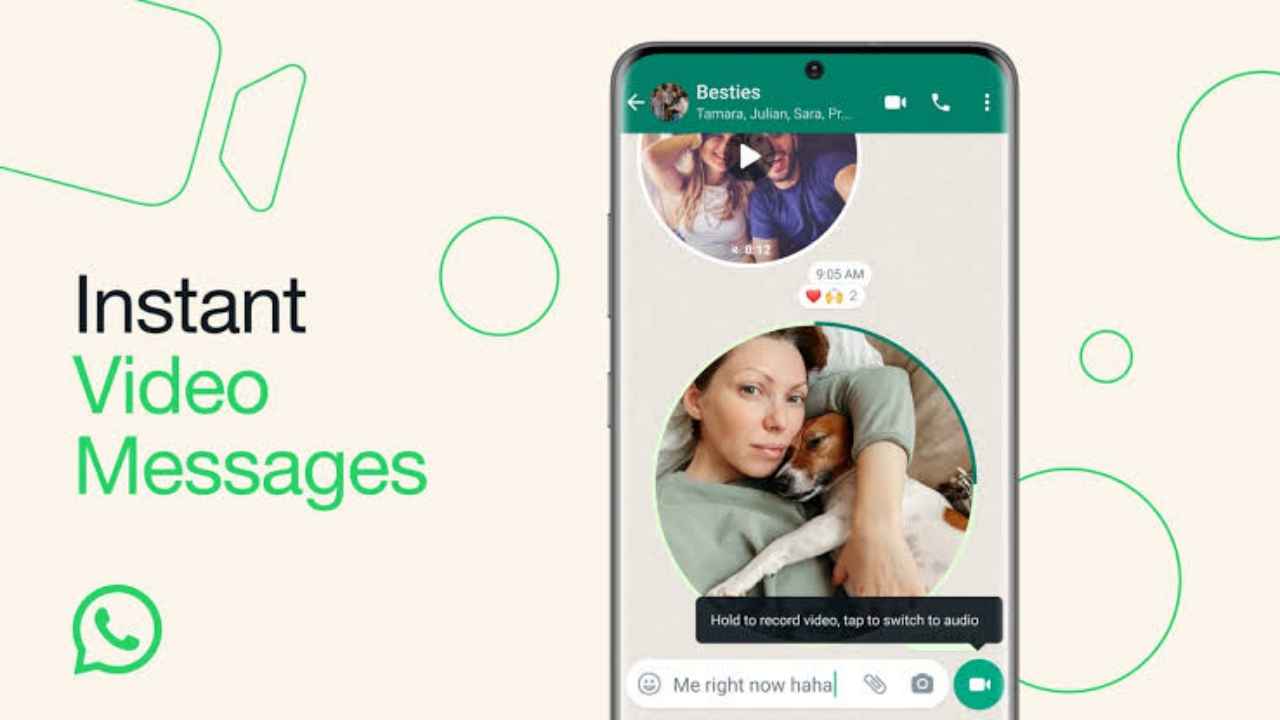
    WhatsApp is constantly launching new features to improve the chatting experience of its users. Now recently WhatsApp unveils the video messages feature for instant sharing, through which people will be able to send voice messages as well as video messages within the chat itself. With this new feature, people can make short videos and use them instead of typing messages.

    Users who have come to know that WhatsApp unveils the video messages feature for instant sharing, they want to know how this video message feature can be used and what are its benefits. Let us tell you that this feature has started for global rollout and will soon be available for all users. Let us know in detail about the new video message feature of WhatsApp.

    WhatsApp Unveils the Video Messages Feature

    Mark Zuckerberg, the CEO of Meta, shared an exciting update about WhatsApp on Facebook. He showed a short video to demonstrate how easy it is to use the new feature.

    Just like recording voice messages, you’ll find a video recorder icon beside the text box. With this icon, you can make short videos up to 60 seconds long. It’s simple and fun to use!

    WhatsApp’s voice messages transformed how we talk by offering a fast and safe method to share our voices,” says the post. “We’re thrilled to enhance this feature with instant video messages”. Now you can record and send a short video personally on WhatsApp to any of your friends or relatives.

    Also read: WhatsApp Rolling Out New In-App Support Feature for Windows Users

    How to send video messages on WhatsApp?

    The way you send voice message in WhatsApp to you friends as you send Video messages to your friends. Follow these simple steps:

    Step 1: Open WhatsApp on your phone.

    Step 2: Go to the chat where you want to send a video message.

    Step 3: In the chat where you will see the microphone button, you will also see the option to switch to video mode on the same button. So, if you want to send video message then you have to click on the same video mode.

    Step 4: The way you hold down the microphone to send a voice message after clicking it. Similarly, to record video, you have to hold down the video button.

    Step 5: As soon as your video is done, you have to release the button and as soon as you release the button, your video message will be sent to that person in the chat.

    So, in this way you can easily send video message to any of your friends or relatives. Videos will play silently when opened in a chat. If you want sound, just tap the video. Meta assures that video messages have end-to-end encryption, so your messages stay safe and private.

    How the new WhatsApp Video feature is beneficial?

    The latest update brings a fantastic advantage! When you record and share videos in real-time, it feels more immediate and genuine because the recipients can see that it was just made.

    However, WABetaInfo says you can’t forward these video messages directly. But don’t worry, you can still save them by using screen recording, as they aren’t sent with the view once mode.

  • A Step-by-Step Complete Guide To Create AI Stickers On WhatsApp

    A Step-by-Step Complete Guide To Create AI Stickers On WhatsApp

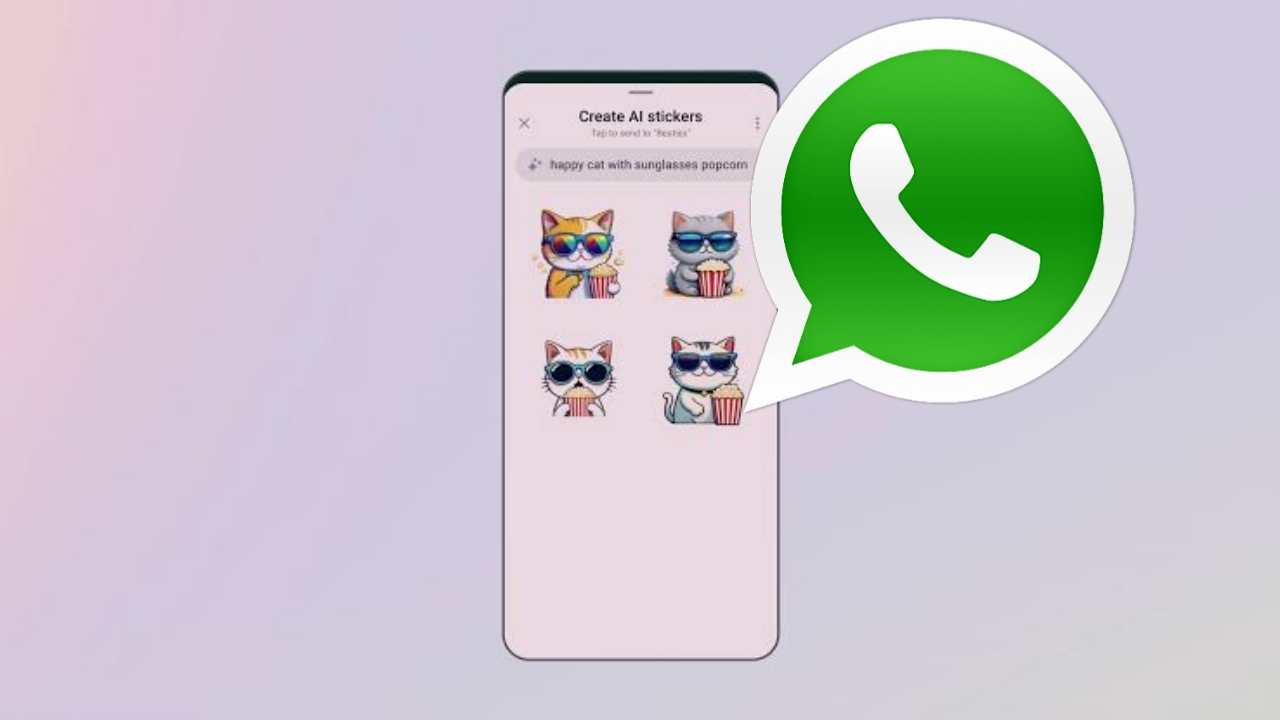
    How to Create AI Stickers on WhatsApp has released a number of new features for AI experiences for users. One of the best AI tools for increased creativity, expression, and productivity has also been made available in the meta-owned messages with the new Create AI Stickers feature.

    In this article we will tell you about How to Create AI Stickers on WhatsApp. If you want to learn more about how to make artificial intelligence stickers for WhatsApp, you must read this post all the way through.

    How to Make AI Stickers on WhatsApp

    • Launch WhatsApp on your phone. 
    • Then, tap the sticker icon in the sticker section after tapping the emoji icon in the message box. 
    • To create the AI sticker, tap the Create button. 
    • You will be prompted to enter a description when creating the sticker.
    • Write the description of the sticker you want to make. 
    • Keep in mind that up to four stickers will be produced after you enter the description. 
    • You can edit your description if any changes are required to meet your requirements. 
    • When finished, tap the sticker to send it to your chat.

    In order to use them later if necessary, you can also add your personalized AI sticker to your favorites. The AI sticker you want to favorite can be favorited by simply opening the chat that contains it. Tap the sticker in your chat after that, or press and hold it in the sticker tray. Select the Add to favourites option now.

    Read more: WhatsApp Rolling Out New In-App Support Feature for Windows Users

    Other New WhatsApp Updates

    In order to shield users from potential location tracking, Meta has also added a security improvement. In order to add another line of defence against privacy violations, this new feature concentrates on protecting the user’s IP address while on calls.

    The privacy call relay feature is currently being rolled out to a select group of beta testers, according to information from WABetaInfo, a dependable source for WhatsApp updates. The “Advanced” section, which has been incorporated into the privacy settings menu, is where users can access this new feature.

    Conclusion

    In this article we discussed about How to Create AI Stickers on WhatsApp. WhatsApp’s AI stickers are a relatively new feature, but they have already established themselves as one of the most widely used features on WhatsApp. 

    Compared to traditional emojis, AI stickers are more expressive and interesting, and they can be used to express a variety of ideas and emotions.

    Making your own AI stickers is a fantastic option if you want to give your WhatsApp conversations a more personalized feel.

  • How To Create And Send WhatsApp Avatar On Android And iOS In 2023

    How To Create And Send WhatsApp Avatar On Android And iOS In 2023

    Have you ever wanted to make your chats on WhatsApp more entertaining with personalized avatars? Well, now you can with the messaging app’s latest feature. Similar to Apple’s Memoji and Snapchat’s Bitmoji, WhatsApp Avatars allow you to create a digital animated version of yourself by customizing features such as your haircut, clothing, facial expressions, and accessories. So let’s learn How To Create And Send WhatsApp Avatar On Android And iOS In 2023.

    What are these WhatsApp avatars?

    In the same way that Apple’s Memoji and Snapchat Bitmoji are digital animated representations of you, WhatsApp Avatars are the same thing. You have the ability to design an avatar that most closely resembles you, thanks to the messaging behemoth.

    You may customize your avatar by adding different elements like your haircut, clothing, facial expressions, accessories, and much more. Furthermore, according to a blog post by WhatsApp, the company will soon introduce additional design enhancements, such as lighting, shading, different hair textures, and more.

    How To Create WhatsApp Avatar On Android And iOS In 2023

    1. Go to “Settings” in the bottom navigation bar on WhatsApp and click on “Avatar” next to your name.

    2. Choose “Create your Avatar” and a website with information on WhatsApp Avatars will appear. Select “Get Started” to begin the creation process.

    3. Pick the skin tone that matches yours and tap “Next.”

    4. You will then have numerous options for customizing your avatar, including clothing, body type, eye shape, color, makeup, and more. You can also modify the shape, marks, and lines of your face, as well as your mouth, lips, nose, earrings, and facial hair.

    5. Choose the options that best fit your personality and tap the mirror icon on the right side of your avatar to view yourself.

    6. Once you have finished modifying your WhatsApp Avatar, tap “Next” to return to the Avatar area in the app.

    How To Send WhatsApp Avatar On Android And iOS In 2023

    1. On your iPhone, open a WhatsApp chat and tap the “sticker” button in the text box. On Android, tap the emoji icon in the text field.

    2. You will see an icon for WhatsApp Avatars beneath the GIF and sticker options. Select this icon.

    3. You can then choose from various emotions represented by the WhatsApp Avatar stickers, such as love, sadness, anger, and more. Select the appropriate sticker and send it. WhatsApp generates over 36 stickers based on your avatar.

    4. Alternatively, you can go to “Settings” then “Avatars” and select “Browse Stickers” to choose a specific sticker to send. Use the “Forward” icon in the top right corner to send the avatar sticker to the desired chat.

    Conclusion

    In this article we discussed How To Create And Send WhatsApp Avatar On Android And iOS In 2023. It will be easy and quick to create and send a WhatsApp avatar on Android and iOS smartphones. You may quickly build a unique avatar that symbolizes you and share it with your loved ones on WhatsApp by only a few touches on your device’s screen.

  • 10 New WhatsApp features Expected to Launch in 2022

    10 New WhatsApp features Expected to Launch in 2022

    Hello friends, how are you welcome to our website today in this article top 10 New WhatsApp features 2022. Friends, if you have WhatsApp application installed in your mobile, you use WhatsApp application in your mobile, then today’s article is going to prove to be very amazing and helpful for you. So keep reading this article from beginning to end.

    In today’s digital age, everyone uses many social media applications, but WhatsApp is the social media platform that most people use. Whenever someone comes with a new mobile, he first installs the WhatsApp application on his mobile. WhatsApp application is used by people for chatting with their friends relatives and for voice call video call as well as other things. You get to see many features from WhatsApp.

    As you all know, WhatsApp keeps on bringing new features for its users. WhatsApp rolls out features every year to improve the experience of its users. Friends, in today’s post, we are going to tell you about not one or two but 10 features of WhatsApp in 2022. You might know one or two of these features, but you are going to be completely new to these features.

    1) Sending Disappearing Media Files

    Friends, this is a completely new feature of WhatsApp, with the help of this feature, you can send a photo or video to the person you are chatting with on WhatsApp by setting it in the view lineage. The advantage of this feature is that the photo or video that you have sent to a person, then as soon as he sees that photo or video, it will be automatically deleted. After the arrival of this picture, you do not have to delete the photo or video after sending it to anyone.

    2) Multi device support

    Talking about this feature of WhatsApp, all WhatsApp users were waiting for this feature for a long time. With the help of this feature, if the internet of your mobile phone is off, then you can use the same WhatsApp in four different devices. Earlier it was necessary for your main device to have internet on but now it is not so. This feature was earlier rolled out for WhatsApp Business users but now it can be used by all.

    3) Mute the video before sending

    Let us tell you that friends, this is a new feature of WhatsApp, with the help of this, if you send a video to someone, then at that time you can mute the voice of that video. Sometimes it happens that when we record any video, unwanted sound comes in the background of it. With the help of this feature, while sending a video, you can send the video by clicking on the volume icon above in the WhatsApp chat.

    4) Sending and receiving money

    Friends, WhatsApp launched the WhatsApp payment feature in 2020 but at that time it was not available to everyone. But now this feature has been published for all users. With the help of this feature, you can send and receive money to anyone, you can also do UPI transactions very easily with the help of Mint feature on WhatsApp.

    5) Video calling from computer

    Friends, this feature of WhatsApp is a very good feature and people were waiting a lot for this feature. With the help of this WhatsApp feature, you can make video calls very easily with the help of your laptop or computer. From the same WhatsApp number which is also active in your mobile. For this, you have to connect your WhatsApp to WhatsApp Web on your computer and laptop. Right now this idea is not available for video calling groups.

    6) Transfer WhatsApp Chats from iPhone to Android

    If someone had an iPhone and wanted to switch to an Android mobile, he would find it very difficult to transfer his WhatsApp chat backups to Android. But after the introduction of this feature, you can easily transfer WhatsApp chat from any of your iPhone to Android mobile phone. Right now, WhatsApp check transfer feature from Android to iPhone will have to wait a bit, but iPhone to Android chat transfer feature is available for everyone.

    7) Join later WhatsApp group call

    Friends, talking about this feature, this feature is being liked very much by all the people and personally it has become my favorite feature. With the help of this feature, whenever there is a call in your WhatsApp group and you miss that call, even after that you can join the group call. And without any permission you can leave the group call and join later.

    8) Group admin can delete WhatsApp group message

    Talking about this feature, this feature is quite an amazing feature, with the help of this feature, if you are the admin of a group and someone messages in the group, if you want to delete it, then you can delete it for everyone. But friends, the sad thing is that this feature has not yet become public for everyone, it is available only for some beta testers.

    9) WhatsApp message reaction

    Friends, this is the latest feature of WhatsApp and it is a very new feature, with the help of this feature, whenever someone messages you, you can reject it. For this, you have to hold the message sent by a user and after that you will get to see five emoji in front of you, with the help of which you can react to it.

    10) WhatsApp Lock

    Friends, this new feature of WhatsApp is a very good feature for your security. After the introduction of this feature, you can keep your WhatsApp application locked so that not everyone can access your WhatsApp without your permission. For this, you have to enable fingerprint by going to the security settings of WhatsApp.

    conclusion:

    We hope that you have liked this article WhatsApp Top 10 Features 2022 of our website very much. In this article, we gave you information about the new new features of WhatsApp. If you like this post then like it and share it as much as possible with all your WhatsApp friends. If you want to know about any more feature of WhatsApp or if you have any question or suggestion, then you can ask us in the comment box below. Thank you very much for reading the article, see you in the next post.

    Also read: How to recover deleted photos from the DiskDigger app